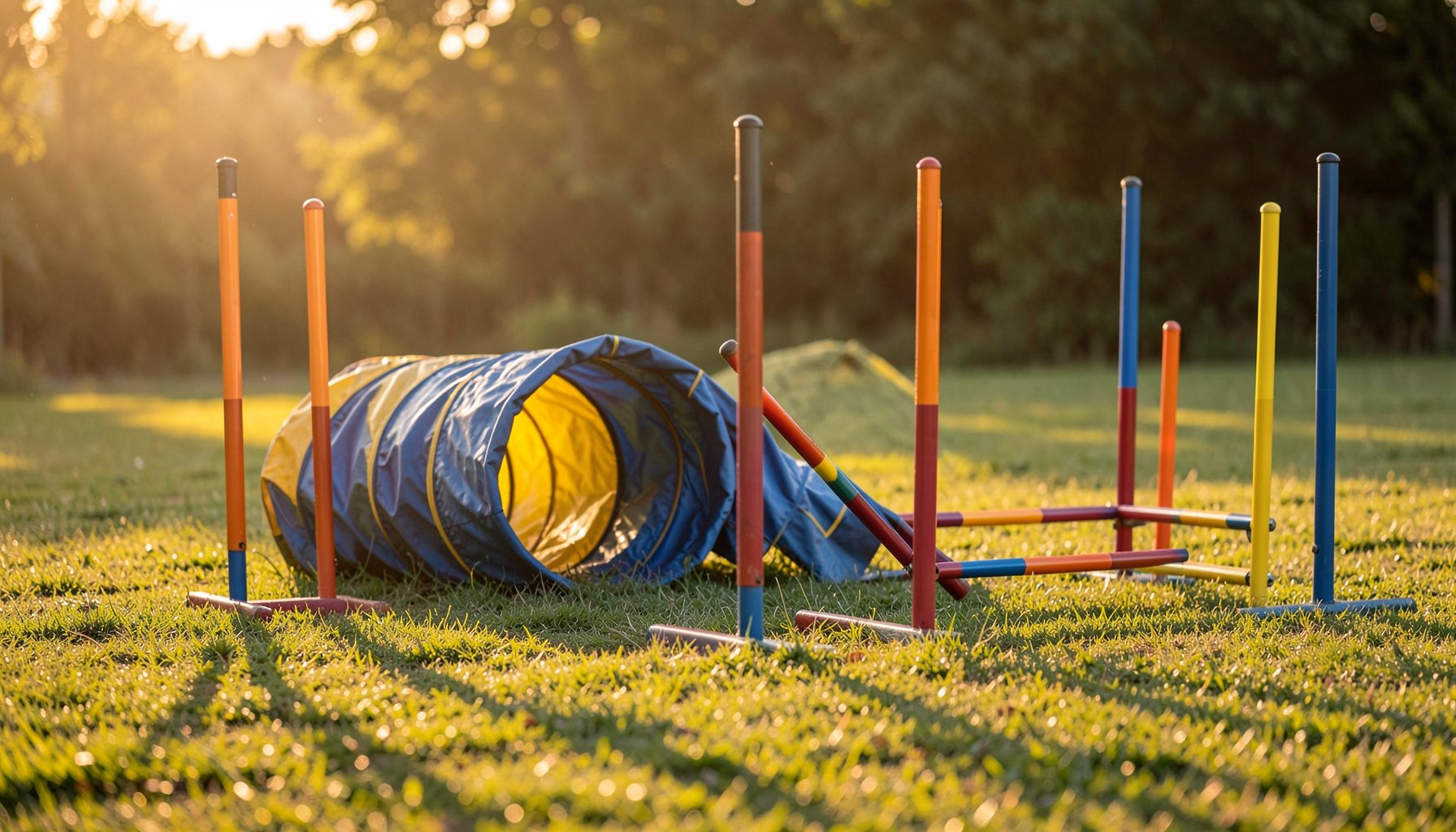
Find Your Dog’s Best Event Photos Faster
Pawprint Pictures galleries can contain thousands of images from agility trials, club shows, training days and specialist events. When several breeds run in the same ring, scrolling through every thumbnail is rarely the quickest way to find your dog.
The gallery’s advanced search helps narrow those results using details such as dog breed, event type, club, handler and dog name. A careful combination of filters can take you from a broad event collection to a short, useful set of photographs.
This is especially helpful for Australian handlers who may travel between Sydney, Melbourne, Brisbane, Adelaide and regional venues during a busy competition season. Event names, dates and local time zones can also look different when you are searching after a long drive home or across daylight-saving areas.
The process is simple once you understand how each filter works. Start with the most reliable information, check the results visually, then refine the search if the gallery still contains too many runs.
Start With The Correct Event Gallery
Begin by opening the relevant event gallery, rather than searching across every photograph on the website. Select the competition, club show, trial or training session that matches the date and venue you remember.
Event names may include an organisation, club, location or class description. Australian competitions can involve organisations such as AKC, USDAA, NADAC, CPE and ASCA, so checking the governing body is useful when several events happened over the same weekend.
If you are unsure of the exact title, use recognisable parts of it first. A club name, suburb or venue may be easier to remember than the official event wording. Once the likely gallery appears, compare the event date and location before applying more filters.
Filter By Breed Before Narrowing Further
Choose the dog breed filter when the event includes many different competitors. Selecting “Border Collie”, “Shetland Sheepdog”, “Australian Shepherd” or another listed breed removes photographs that are unlikely to show your dog.
Breed filtering is most effective when the photographer or event records use a consistent breed name. A dog described informally as a “Staffy”, for example, may be recorded under its formal breed category. Try the recognised breed option shown in the search field instead of relying on a nickname.
Breed alone may still produce a large collection, particularly at a major trial. Add the event type next, such as agility trial, club show, training session or another available category. This is useful when the same club hosted multiple activities or when training photographs sit alongside competition images.
Use Event Type And Date Together
Event type distinguishes the setting in which the image was taken. A competition gallery may include jumping, obedience-related activities, presentations or different rings, while a training session may contain relaxed handling exercises and repeated practice runs.
If the search offers a date field, enter the event date carefully. Australian date formats are generally written day-month-year, but a website field may require a different format. Check the calendar control or the example shown beside the field before submitting the search.
Handlers often remember a weekend rather than a single date, especially when a trial runs from Saturday into Sunday. Search the individual dates if the first result is empty. You can then compare the venue, class and dog details shown with the photographs.
For visitors who travel internationally or follow Australian clubs from abroad, clear naming matters as well. Consistent event labels make galleries easier to discover, much like a club preparing for Gambia market expansion needs clear information for a new audience.
Add Handler And Dog Details
Once breed and event type have reduced the results, add the handler’s surname or the dog’s registered name if those fields are available. This is often the fastest way to separate littermates, dogs with similar appearances or multiple entries from one household.
Try the name exactly as it may appear in the event records. A registered name can differ from the call name used at the ring. If searching the full registered name produces nothing, try the shorter call name, surname or a distinctive part of the entry.
Avoid adding every possible filter immediately. A spelling variation in one field can cause a valid photograph to disappear from the results. Start with breed and event, check the available images, then add one name filter at a time.
When results appear, inspect the thumbnails for coat colour, markings, lead or running style. This visual check is important when two dogs share a breed and similar names. It also helps identify photographs taken during the correct run rather than a nearby class.
Review Images Before Ordering
The search result is a shortlist, not a guarantee that every image belongs to your dog. Open promising photographs and check the event context, obstacle sequence, bib or ring setting, and the dog’s distinctive features.
Some action shots may show only part of the dog, especially during a jump or tunnel entry. Look through adjacent images where available, as the photographer may have captured a sequence before and after the frame you first noticed.
If you are comparing print sizes or digital products, consider where the image will be displayed. A landscape photograph may suit a desk frame, while a high-resolution action image could work better as a larger wall print. Australian buyers should also check the displayed currency, delivery details and any applicable GST before paying.
Quality matters when choosing a professional event photograph. Pawprint Pictures explains what to look for, including timing, composition and the photographer’s ability to capture the dog’s movement. Those details can help you choose between several attractive results.
Search Habits That Save Time
Use a repeatable process for every event: identify the gallery, choose the breed, select the event type, add the handler or dog name, and inspect the thumbnails. Saving the event date and registered name in your phone after a competition can make later searches much easier.
- Confirm the event name, date and venue before applying filters.
- Select the formal breed listing rather than a nickname or abbreviation.
- Add one filter at a time so spelling errors are easier to identify.
- Search both the registered name and call name when results are missing.
- Check nearby dates when a trial runs across a full weekend.
- Compare thumbnails with your dog’s markings, equipment and running context.
- Review product, postage and privacy information before placing an order.
Australian handlers should also remember that different councils and states apply different dog identification requirements. Microchipping rules vary by jurisdiction, and accurate registration details can help reunite owners with pets; this microchipping guide provides broader background. Those records are separate from gallery searches, but keeping your dog’s official details current makes competition administration less stressful.
Pawprint Pictures uses customer information to process gallery purchases and provide support. Before ordering, review the privacy policy, particularly if you are using a shared club computer or entering payment details while travelling between events.
Complete A Final Gallery Check
A good search should leave you with a manageable set of photographs from the correct dog, event and activity. If the results are empty, remove the least certain filter first, check spelling, and search the adjacent event date. If there are too many results, add the handler name or registered dog name.
For your next purchase, write down the event date, official event title, dog’s registered name and breed before opening the gallery, then apply those details in that order.