Best way to crop a photo to remove distracting background equipment
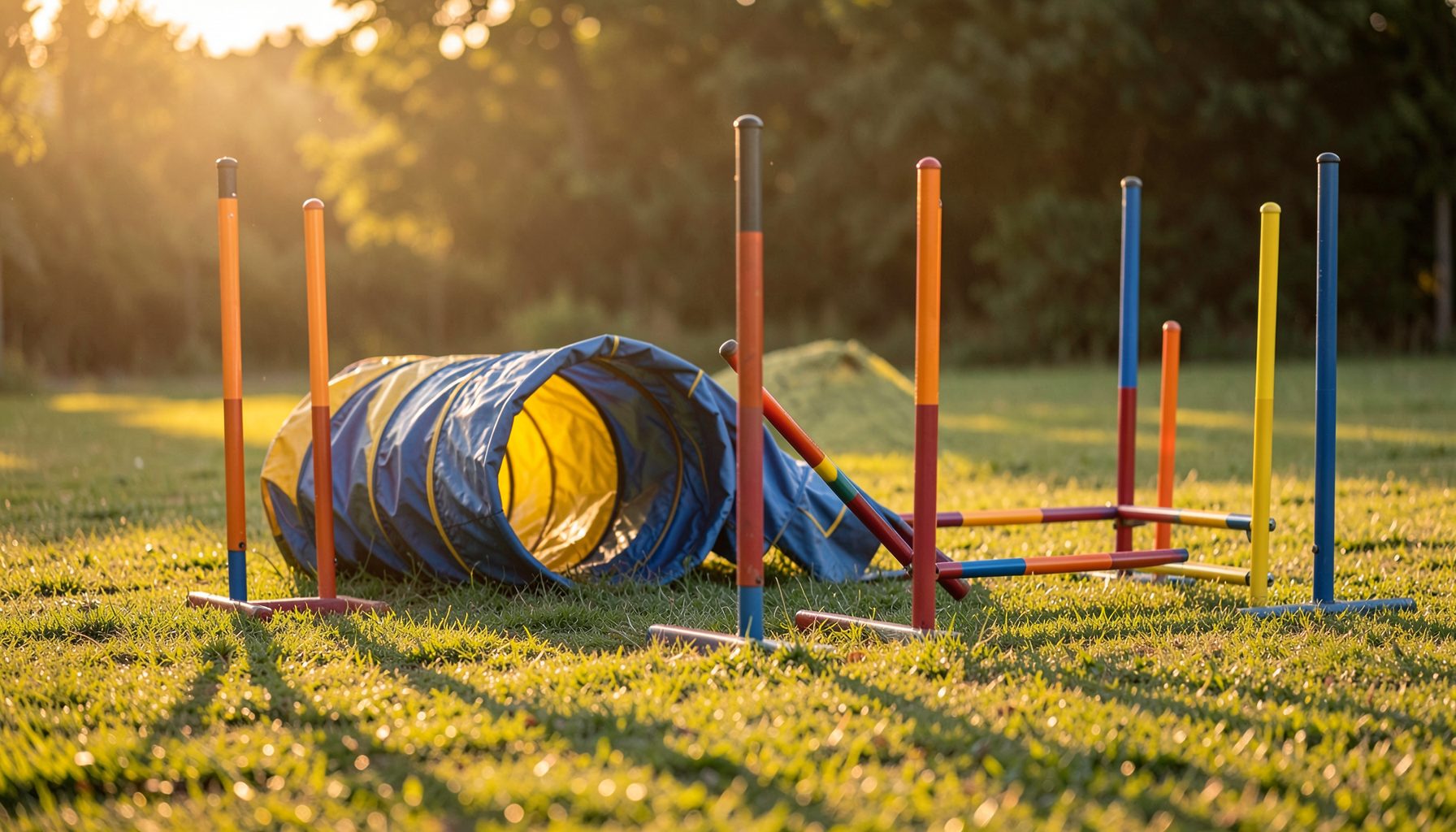
Dog agility venues are busy places. At any given trial in Brisbane, Perth, or the suburbs of Melbourne, you can expect timing gates, folding chairs, sponsor banners, and often the family Labrador wandering through the background. Even with a long lens and a wide aperture, distracting background equipment has a way of sneaking into the frame right when a dog clears the highest point of the A-frame.
For a photographer building galleries for handlers to purchase prints, those distractions directly affect sales. A handler wants a wall portrait of their Border Collie mid-jump, not a photo that also features a stack of plastic cones and a half-eaten sausage roll. Learning how to crop a photo to remove distracting background equipment is therefore as much a business skill as it is an editing one.
The good news is that a careful crop can recover the majority of marginal frames. With a few guiding principles, a reliable workflow, and the right software, you can turn a cluttered raw file into a saleable portrait without spending hours at the screen.
Choosing the right aspect ratio for your shots
Aspect ratio sets the canvas you work within, and it influences how much room you have to crop later. Most Australian agility photographers deliver images in 3:2 to match DSLR sensors, but print products often work better at 4:5 or even 1:1. Shooting with the final product in mind means leaving enough space around the dog and handler to crop aggressively if the background is messy.
If you know a particular print size sells well in your store, set up a crop preset for that ratio. For a 4:5 portrait, you have roughly 20% less horizontal space than a 3:2 file, so the original composition must allow some slack on the sides. Shooting a touch wider than feels necessary is a habit that pays off when the ring steward decides to stand directly behind your subject.
Many event photographers also keep a square 1:1 crop ready for social media previews, which can rescue a frame where the dog is centred but the background runs off to one side with unwanted gear. Having these ratios pre-saved in Lightroom or Capture One means the decision is made quickly during a long day at a trial.
Composition rules that guide your crop
Crops work best when they reinforce the subject. The rule of thirds is the obvious starting point: placing the dog's eyes on the upper third line, or the takeoff point on a lower third intersection, gives a finished image that feels intentional. A crop that follows the action direction also helps. For a dog running left to right, give more space in front of the nose than behind the shoulders, otherwise the frame feels trapped.
Negative space is the other quiet tool. By removing a tent pole or a timing light from one corner through cropping, you convert what was visual clutter into clean breathing room. This is especially effective in images where the dog is the clear focal point but the ring edges, sponsor banners, or training equipment pull the eye away.
Before clicking the crop tool, ask whether the background object is truly distracting or just a bit of context. A few weave poles in soft focus can actually add to the sense of place, while a bright orange esky in the bottom corner pulls attention. Cropping is a judgement call as much as a technical one.
Editing software compared for background work
Different programs handle cropping and background cleanup in different ways. Here is how the most common options stack up for agility work.
| Software | Cropping tools | Background cleanup | Cost in Australia | Best for |
|---|---|---|---|---|
| Adobe Lightroom Classic | Ratio presets, angle slider, healing brush | Basic spot removal only | ~A$20/month | High-volume batch cropping |
| Adobe Photoshop | Full crop, content-aware crop, generative fill | Advanced cloning and AI removal | ~A$60/month | Rescue images with large obstructions |
| Affinity Photo 2 | Non-destructive crop layers | Inpainting and clone tools | One-off ~A$100 | Photographers avoiding subscriptions |
| GIMP (free) | Manual crop with guides | Clone and heal tools | Free | Hobbyists and tight budgets |
| Capture One Pro | Tethered crop, style presets | Healing and clone layers | ~A$40/month | Studio-grade colour and detail |
For most event photographers shooting thousands of frames per trial, Lightroom's batch crop presets do the heavy lifting. Photoshop enters the picture when a piece of equipment is too large to crop around, or when the handler has requested a specific print size that changes the composition.
A practical cropping workflow for event galleries
Start every edit session with a folder pass. In Australia, most clubs require photographers to follow specific privacy rules around handler data and child photos, so check the privacy policy of your online store and the event's media guidelines before publishing. Once the paperwork side is sorted, open the first gallery and flag every frame where the background is too busy to crop out cleanly.
In Lightroom, use the quick develop panel to apply your standard aspect ratio, then go image by image. For each photo, ask whether the crop can remove the distraction without cutting into the dog or handler. If yes, commit. If no, send the image to Photoshop for cloning or AI inpainting, then return it to the gallery folder.
Batch the easy crops first to build momentum, then tackle the handful of difficult frames at the end of the day when your eyes are fresh. Export the entire gallery at the same time so file names and watermarks stay consistent, which makes searching by dog or handler name much easier for your customers.
Cropping versus cloning out background gear
Cropping is the cleanest solution because it does not alter the pixels of the subject. A well-placed crop will hold up at large print sizes and survives resizing. Cloning, healing, or generative AI removal is necessary when the unwanted object overlaps the dog, such as a jump standard crossing the tail, or when cropping would mean losing the action.
A useful rule of thumb is to crop first, clone second. If a crop removes the equipment without changing the story of the image, take that option. Reserve cloning for situations where the gear is tangled up with the subject, and even then, keep the edits small. Handlers can spot heavy-handed Photoshop work, and a subtle edit reads as a polished photograph rather than a digital trick.
The same visual noise that ruins a portrait also affects how buyers browse a gallery. Just as a row of brightly lit machines can overpower a quiet corner of a pub, a busy background pulls the eye away from the dog. The principles behind a good pokies technique for managing visual focus mirror what an agility editor tries to achieve: guiding attention to one point of interest.
Local tips for shooting at Australian agility clubs
Australian trials move fast, and rings are often set up on grass ovals, equestrian centres, and school grounds from Adelaide to Cairns. Arrive early to walk the venue and note where the sun will be at jump height, and position yourself so the background is a treeline or a sponsor banner rather than a car park. Many NSW and Queensland clubs now share their media guidelines online, and following the standard trial photography etiquette helps you stay welcome at future events.
Bring gaffer tape and a couple of clamp lights if the venue allows it. A small piece of black fabric clipped over a distracting sign can save hours of editing later. When taping is not an option, change your shooting angle. Moving two metres to the left often turns a cluttered background into clean grass, which crops down beautifully.
Habits that protect your print sales and reputation
A consistent editing style matters as much as any single crop. If one gallery has tight 4:5 portraits and the next has loose 3:2 frames, customers lose confidence in the brand. Settle on a default crop, a default colour grade, and a default export size, and apply them to every event.
Keep your invoicing tidy as well. Many small studios rely on a billing service to track outstanding orders from clubs and handlers, which helps when the same handler orders from three different events across the year.
Quick reference for daily editing:
- Always export at 300 dpi for prints and 72 dpi for web previews.
- Name files with the event, ring, and dog or handler for easy searching.
- Use a copyright watermark visible at web size but removable for paid orders.
- Review a random sample of ten images per gallery to catch cropping drift.
- Back up raw files to two separate drives before deleting anything from the laptop.
- Keep a folder of before-and-after examples to show handlers during sales conversations.
The habit that separates a busy weekend photographer from a sustainable business is consistency. Customers return to a gallery that looks the same every time, and handlers refer their friends to a brand they trust.
The takeaway is simple: choose your aspect ratios before the trial, compose with room to crop, reach for the crop tool before the clone brush, and save the difficult edits for fresh eyes. Australian agility venues are full of visual noise, but with a steady workflow the finished portrait can still let the dog take centre stage.